
To strengthen cybersecurity at Lehigh, the university is updating how the Duo Mobile app is used to log in to university systems, starting on December 17, 2025.
Why We Are Making This Change
Last weekend, we experienced a sophisticated phishing attack. Users' passwords were harvested through a fake login page, which appeared to be Lehigh’s login. The attacker immediately used the stolen password, triggering a Duo prompt that users associated with their login and approved. About ten employees (faculty and staff) had accounts compromised because of this attack. One goal of these attacks was to redirect direct deposit transactions to a bank account controlled by the attacker. This redirection was prevented by protocols that we have put in place over the last few years in response to similar circumstances. To proactively protect our community and data from similar attacks, we are moving quickly to Duo Verified Push.
What Is Changing
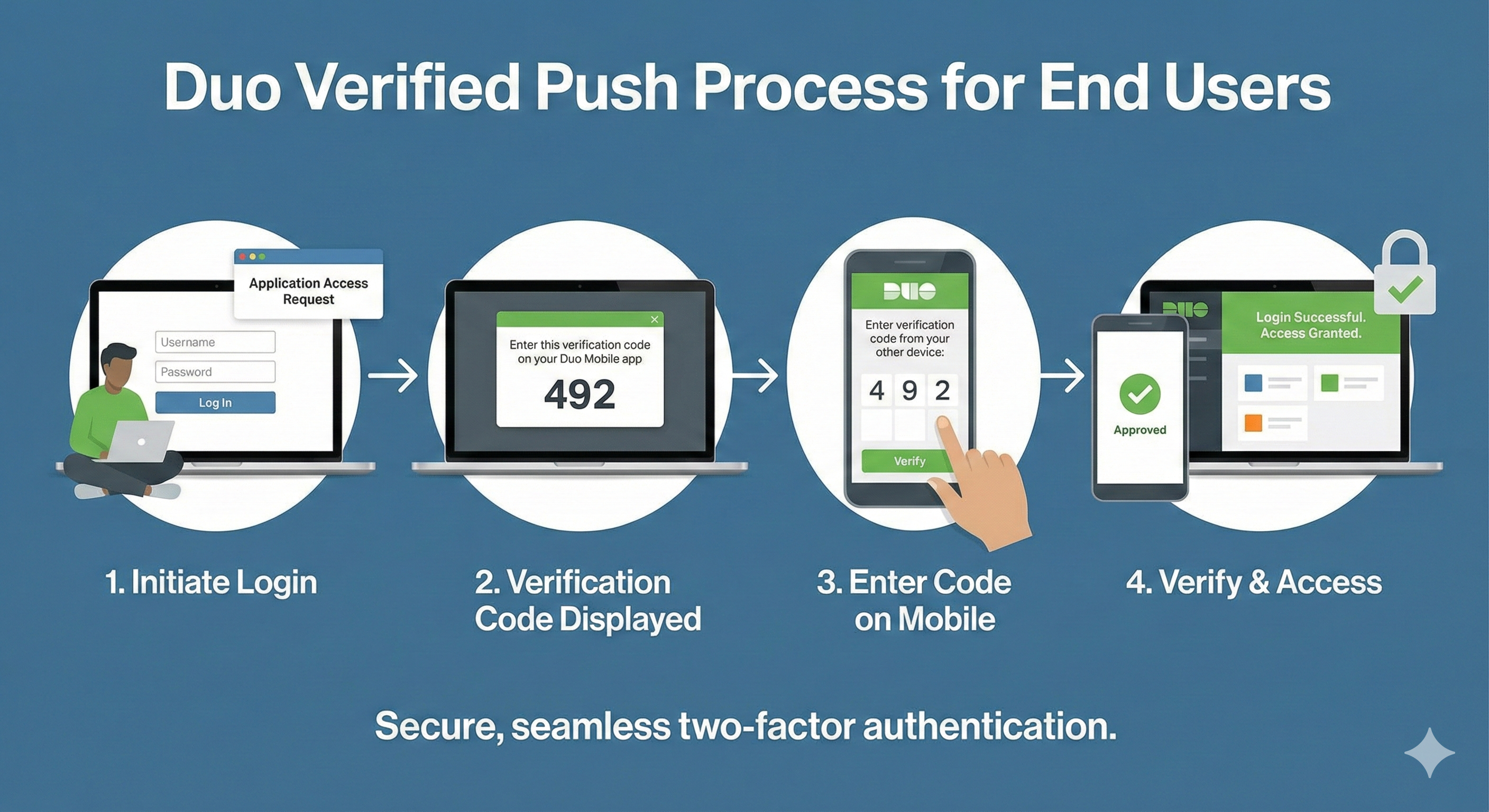
Effective December 17, 2025, the standard "Approve/Deny" push notification on your mobile device will be replaced by a numeric code verification method called Duo Verified Push.
How Verified Push Works
This process adds a simple but highly effective layer of verification:
- Log In: When you log in to a Lehigh service,
- 3-digit numeric code will appear on your computer screen.
- Enter Code: Enter the 3-digit code from your screen into the Duo app to complete the login.
- Access: The transaction is complete and you have access to the service.
How will this impact my daily work?
We expect this change to have a low impact on your daily activities. The process takes only a second longer than tapping "Approve," but it mitigates attacks where bad actors try to trick you into approving a login you didn't initiate. If you receive a Verified Push request but are not currently trying to log in, you will simply not have a code to enter, preventing the attacker from gaining access.
If you currently use a security key (fob), you will not be affected by this change.
General security reminder
Any time you receive an email that you suspect to be a phishing attack, you should forward it to security@lehigh.edu or click the ‘red phish hook’ in Gmail (right sidebar). This may enable earlier recognition of the attack and allow LTS to remove the email from other people’s accounts before they click on it, reducing the impact of the attack across the university.
If you have specific questions or need assistance, please contact the LTS Help Desk at (610) 758-4357 or helpdesk@lehigh.edu.
Thank you for your cooperation as we strengthen our defenses against these evolving threats.
Sincerely,
Eric Zematis, CISSP, CISM, PMP
Chief Information Security Officer
Library and Technology Services